
An intelligent bot management platform that detects and blocks
bots and automated attacks
Run four-layer verification, AI threat analysis, and active defense from a single console —
identifying web scraping, unauthorized crawling, and account takeover based on access environment and behavior patterns, then detecting and blocking them according to policy.
BotManager is an AI-based bot management solution that analyzes access environments and behavior patterns in real time to detect and block malicious bots and macros.
The era when bots outnumber humans
In 2026, the center of gravity of threats has shifted from 'breaking in' to 'logging in.'
Bots overtake humans
More than half of all web traffic is bots. Humans are just 47% — automated requests now rule half the internet.
The era of weaponized AI
AI-driven bot attacks surged 12.5× year over year, and agentic AI traffic exploded +7,851%. Attacks grow cheaper while approaching human-level sophistication.
Login itself is the threat
94% of login attempts are bots, and 60% of auth requests use leaked credentials. The real threat is 'logging in,' not 'breaking in.'
A shrinking share
of real users
An era where automated traffic
has overtaken human traffic
See live traffic at a glance
Visualize in real time everything from total request counts to per-stage blocking status, threat-assessment score, TPS, and top IPs, ASNs, and countries.
Spot attack signals the moment they appear and respond immediately.

The four-step verification pipeline at
a glance
Every request passes through four stages in order: firewall (IP, country, ASN) → bot category → filter → policy.
One screen shows blocking results (request counts and block rates) and the top 5 blocked items per stage.

Identify suspicious users
by their behavior
Track traffic by login ID, session ID, or IP, with risk level (high or medium) and block/pass trends per policy. Suspicious users stand out fast.
- Behavior-based detection
- Risk level
From violated policies to
RPM trends
Drill into one identifier: block, detect, and pass counts, policies violated, bot score, and RPM over time. Pinpoint how a single user is attacking you.
- Violated policies
- Bot detection rate
- RPM trends
Auto-interpret traffic and
recommend actions
AI automatically summarizes traffic, assesses risk, and analyzes RPM, policy violations, and URLs—then recommends applying CAPTCHA, blocking sessions, or adjusting thresholds.
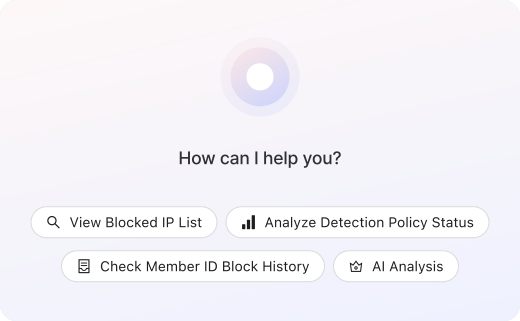
A security copilot
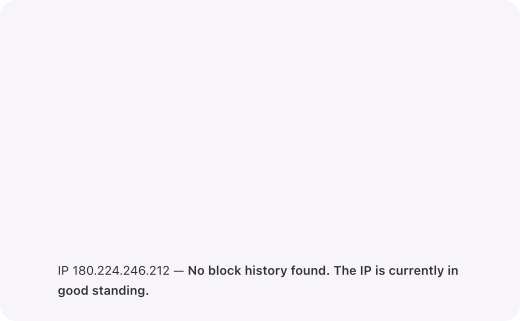
that analyzes whatever you ask.
Ask natural-language questions like "Show me recently blocked IPs" to instantly retrieve blocked IPs, analyze detection policies, and review account blocking history. Get fast insights without navigating complex menus.
Manage both regular and AI crawlers
by type
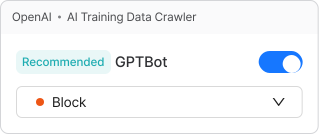
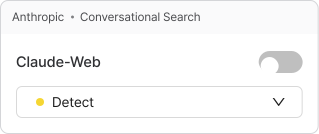
Classify conversational search bots (ChatGPT, Claude, Perplexity) and AI training crawlers (GPTBot, ClaudeBot) as benign, suspicious, or malicious. Set allow, detect, or block policies for each bot.
- AI crawler management
- Benign · Suspicious · Malicious
- Allow · Detect · Block
Build your own
detection rules
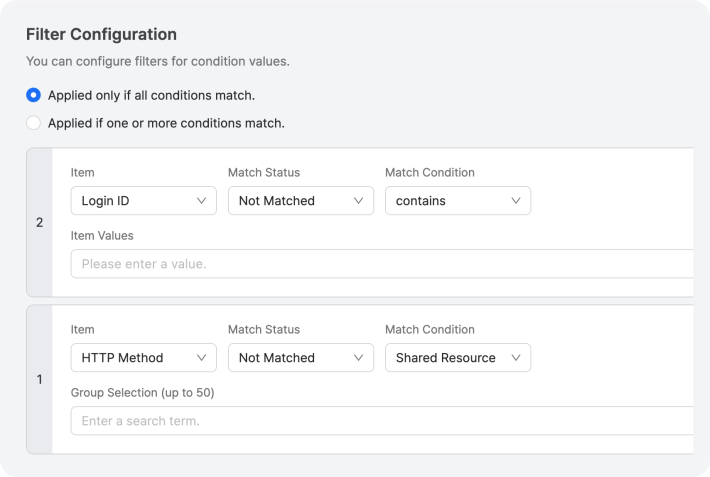
Create custom filters by combining conditions like IPs, User-Agents, JA3/JA4 fingerprints, and HTTP headers. Implement tailored rules in detect or block mode.
- Custom rules
- JA3 · JA4 fingerprints
- Detect · Block
Automation·access environment·frequency·pattern,
all at once
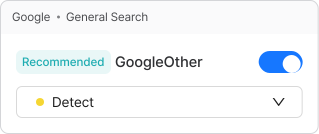
Apply proven security policies with a single toggle. Instantly block browser automation tools, and detect multiple IPs/sessions, excessive URL requests, and scraping.
- Recommended policies
- Automation · Frequency · Pattern
- Toggle controls
Data-driven
threshold recommendations
Every day, BotManager analyzes the past 7 days of traffic to automatically recommend optimal thresholds for each policy. Backed by a confidence score, each recommendation can be applied or dismissed with a single click.
- Automatic optimization
- Threshold recommendations
Credential stuffing·password spraying
blocking
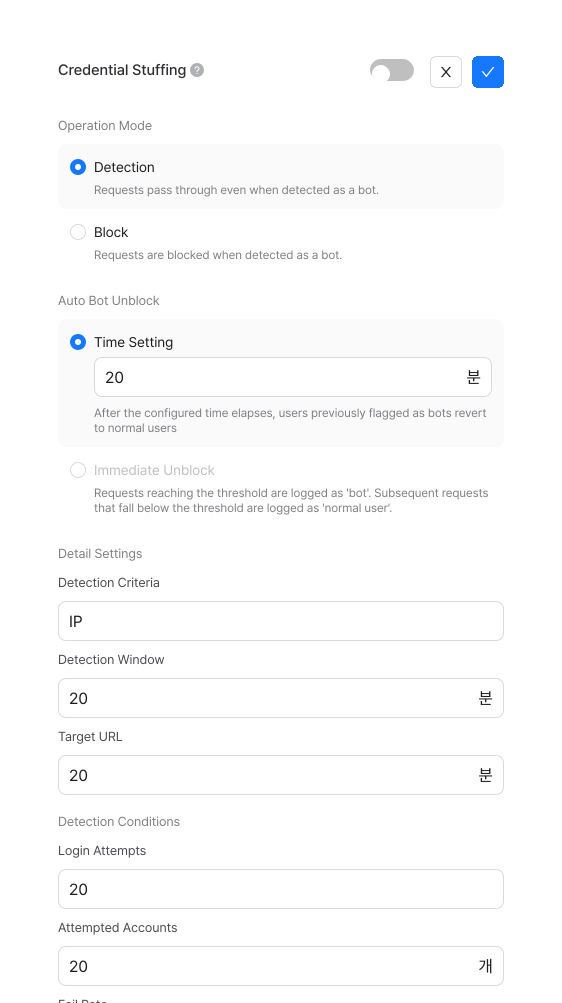
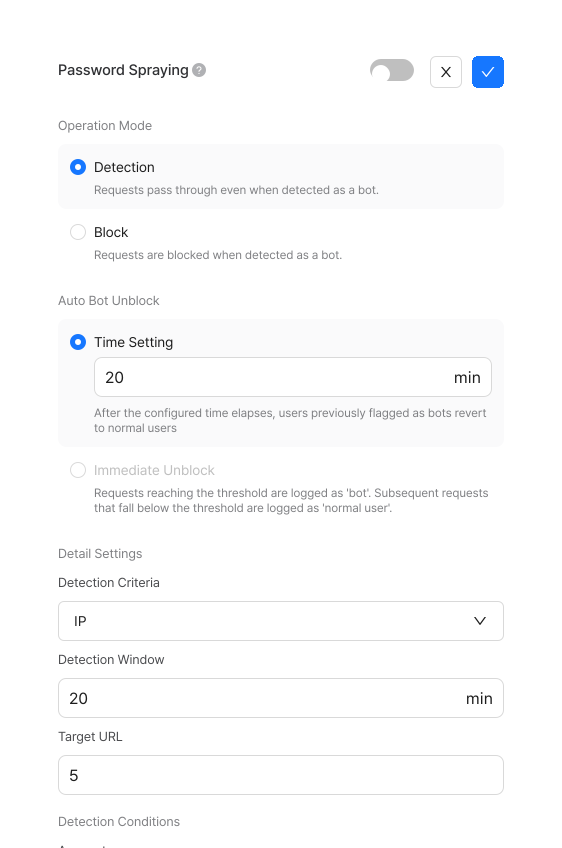
Detect and block automated threats in your login flow. Prevent credential stuffing and password spraying by analyzing failure rates, targeted accounts, and total login attempts.
Defend against direct API calls and unauthorized crawling
with dynamic URLs
Block direct API attacks. Use BotManager's dynamic URLs to prevent direct calls, replay attacks, session hijacking, and parameter tampering.
- Block direct calls (Returns 403 Forbidden on original API URL access)
- Replay and tampering protection (timestamp expiry validation)
- Session binding (prevents cross-session URL reuse)
Pick only what to protect and
apply it with ease
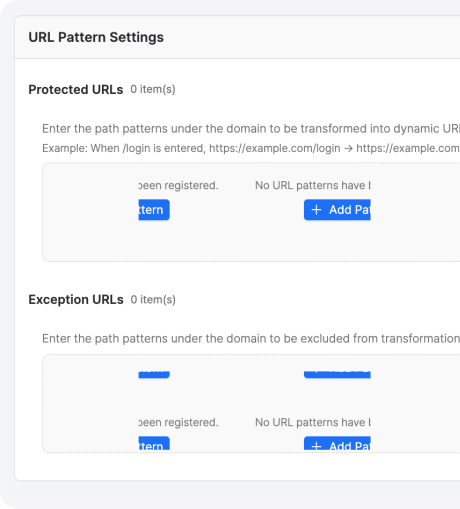
Register protected URL patterns and exclusion paths, then adjust key rotation and request validity using recommended presets or manual settings. Block scraping and automated attacks while minimizing operational overhead.
- Recommended preset
Hide agent scripts
from bots
Secure your frontend code with a 4-layer defense: obfuscated variables, encoded strings, hex-encoded functions, and compressed code. This keeps your bot detection logic hidden and unblockable with minimal performance impact.
Brand-aligned
blocking and CAPTCHA screens
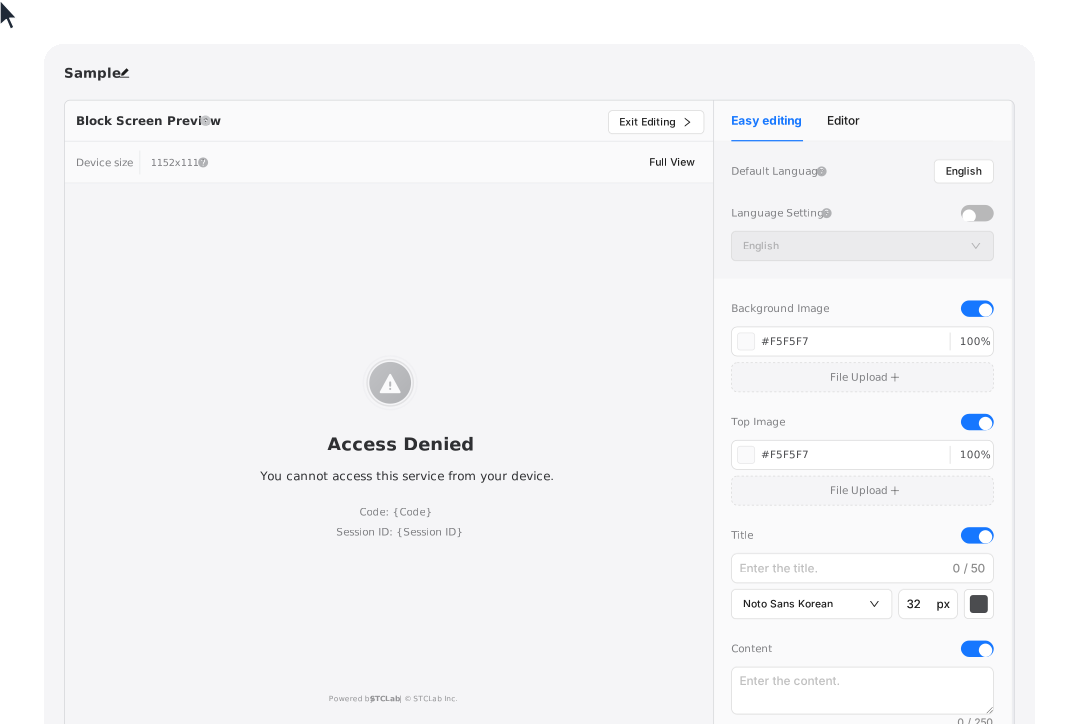
Customize block and CAPTCHA screens—from no-code settings to full code-level control. Configure backgrounds, logos, copy, and fonts to accurately filter out bots without disrupting the user experience.
Frequently Asked Questions
Common questions before getting started. Reach out anytime to learn more.
BotManager is an advanced bot management solution that analyzes inbound web and application traffic to distinguish real users from malicious bots and macros. It allows, detects, challenges, or blocks requests based on your policies. Operating across multiple layers—client-side, server-side, and CDN—it evaluates automation signals, access environments, and behavioral patterns to identify sophisticated bots mimicking human behavior. Furthermore, BotManager leverages AI to power risk analysis and automated policy recommendations.
The fastest way to try it.
Test and deploy the way you want, with no changes to your service environment.
(Server-side agents require a separate setup request.)