
Stay safe during traffic surges
with AI-powered control
NetFUNNEL absorbs sudden bursts of access before they reach your origin.
Servers accept only what they can handle, while everyone else waits in a fair order.
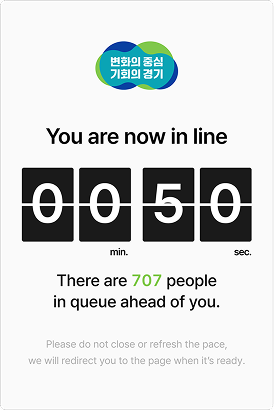
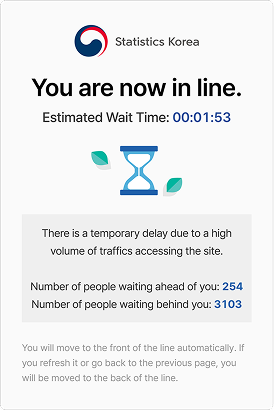
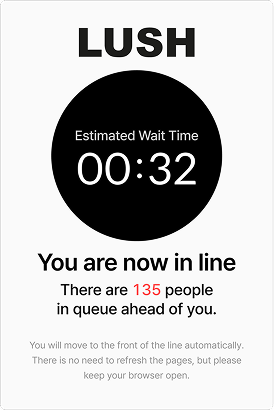
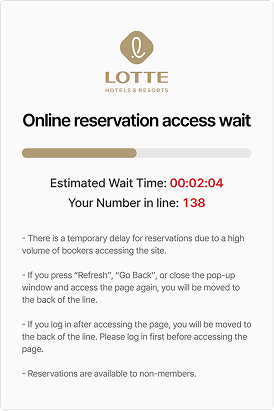
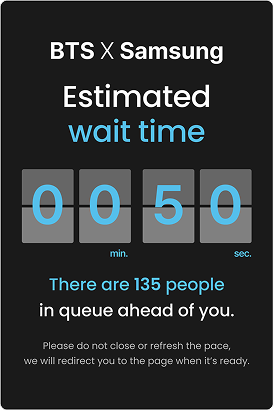
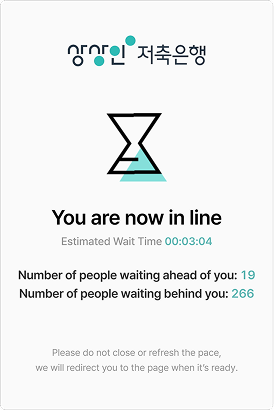
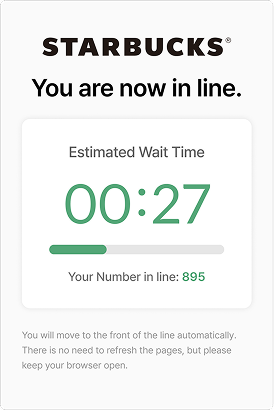
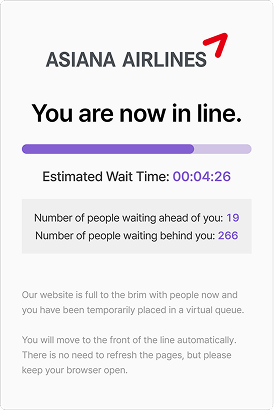

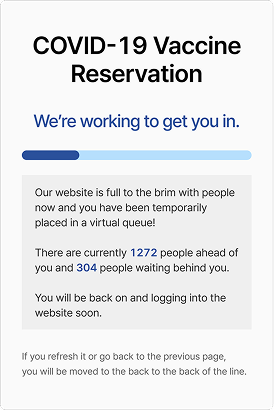
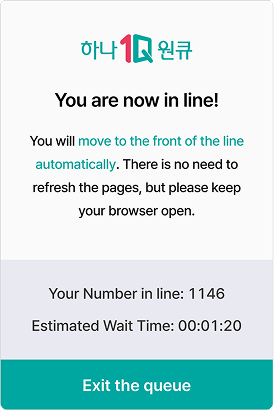


NetFUNNEL is a virtual waiting room solution that sequentially controls user entry per second
to match processing capacity, holding excess users in a virtual waiting room
to prevent server overload and service outages.
The moment access surges,
so do your losses
Traffic surges arrive without warning. An unprepared server collapses at the first peak,
and that cost lands squarely on the customer experience.
A single moment of downtime
If a surge takes your server down one minute after launch, the event and its revenue are gone with it.
Over-provisioning cost
Keep servers permanently scaled up for a handful of peaks, and you pay every month for resources you rarely use.
An unfair race
A structure where whoever hits refresh fastest wins — not whoever arrived first — erodes trust.
The visible part
Scaling cost, temporary downtime and more —
losses billed immediately
The far larger loss
Lost customers, lost trust,
a weakened brand
Build customer trust
with a fair service experience
Admit only as many users as your service can handle, and give everyone a fair, equal shot at getting in.
Start for freeAI-based automatic traffic control model
It adjusts the admission rate from server response time, with no manual threshold tuning.
It predicts peaks, slows admissions before capacity runs out, and opens up again as soon as headroom returns.
Second-by-Second control.
Faster and steadier.
Real-time analysis and control let you handle sudden traffic swings while keeping performance and availability steady.
Scalability to handle
more than
10 million TPS at peak
It holds up under heavy traffic and scales
with your service as traffic grows.
Traffic control designed for
zero service impact
It controls traffic at the edge of your service,
but works non-intrusively,
so the impact on your service stays minimal.
If NetFUNNEL fails, automatic bypass
sends traffic straight to your origin.
Automate
repetitive operations
It applies scheduling policies to match each event's start time.
With no need for manual monitoring or hands-on handling,
presets alone keep operations stable.
- Scheduling
- Presets
Manage traffic flexibly with
pre-, post-, and block waiting rooms

Use different waiting-room types as the situation calls for:
ease traffic concentration before an event starts,
and when an event ends early
or something unexpected happens,
use a post-event waiting room to give customers
the guidance and communication they need.
- Pre-event and post-event waiting rooms
- Block waiting room
A custom waiting room
ready in five minutes
Configure logos, colors, guidance copy,
and waiting-room design directly
in the no-code builder.
Launch a branded waiting page
that matches your service
in as little as five minutes —
without development or deployment.
Multi-environment support,
wherever you need it
Deploy NetFUNNEL across CDN, web, iOS,
Android, or server environments without replacing
your existing infrastructure.
Simply integrate it at the most appropriate point in the traffic path.
Apply the waiting room only
where and when you need it
Combine URL, path, and domain conditions to apply the waiting room precisely to the pages that need protection. With no code changes, protect checkout, event, and ticket pages with a single rule.
- Path and domain conditions
- AND/OR combinations
- No-code rules
Keep users safe
from abuse and macros
It automatically blocks abnormal, repeated access that
exceeds the per-second request limit you set.
First in, first admitted — a fair order for everyone.
- Per-second request limit
- Macro blocking
Real-time monitoring at a glance
Track queue length, admission rate, average wait time, and estimated drop-offs in real time.


A fair waiting experience
through entry-key invalidation
Timer-based entry key expiry stops users from joining the queue early and keeps the line fair.
- Expire entry keys for everyone, or only for users already admitted
- Timer-based entry key expiry

Polling intervals and timeouts
tuned to your server environment
Set re-request (polling) intervals and entry timeouts
to match your server capacity and traffic profile.
Use shorter intervals when capacity allows
and longer intervals when resources are constrained,
balancing server load and entry speed
for your environment.
- Re-request interval settings
- Server-environment tuning
Re-entry without waiting
With queue-position retention, once a user enters,
they skip the waiting room for a set period.
Whether they leave mid-payment and come back
or lose and restore their connection,
they go straight into the service.
- Re-entry within the valid period
- Come back without requeuing
Leave the queue — we'll notify you
when it's your turn.
No need to keep the window open and refresh.
As your estimated entry time approaches,
we send an alert via popup, sound, and email.
Notifications go out about 5 minutes before
your estimated entry, improving the customer experience.
(The actual timing may vary slightly depending on queue conditions.)
A queue position
that stays with you
Once assigned, your position does not disappear
even if you refresh or briefly lose connection.
Flexible OpenAPI
integration support
Integration support for key features
through the OpenAPI
const q = await pulse.queues.create({
name: "ticket-open",
rate: "3400/min"
});
// 2. Queue Position Checks
const s = await pulse.queues.status(q.id, token);
// → { position: 1284, eta: 131 }
After the event,
data for what comes next
See daily, weekly, and monthly trends
for completion rates, bypasses, blocks,
and queue volume, not just the live view.
Then set admission limits and policies
for your next event based on the numbers.
- Aggregation by period
- Reports by server, project, and segment
- CSV export

The change teams that adopt it feel first
NetFUNNEL does more than control traffic.
It lifts marketing results and takes the pressure off overprovisioned infrastructure.
NetFUNNEL keeps the admission rate
within safe limits, so a traffic surge
doesn't take the service down.
Because there is no need to over-provision servers for traffic spikes, you can cut everyday operating resources to under half on average.
A Japanese F&B company (Company B) achieved 200% year-over-year revenue growth for the same period while NetFUNNEL prevented downtime and metered throughput per second.
At a K-pop idol tournament, NetFUNNEL metered 3.5 million concurrent users in the queue with no downtime, and the event closed without any notable support tickets.
* Figures are based on the average improvement seen by commerce, ticketing, and education customers that adopted STCLab NetFUNNEL.
Frequently Asked Questions
Common questions before getting started. Reach out anytime to learn more.
A virtual waiting room is a traffic-control approach that, when concurrent users exceed a system's processing capacity, holds the excess users in an online queue and admits them to the service sequentially—only as many as the system can handle. NetFUNNEL decides whether to admit a user immediately or make them wait based on current traffic and the configured admission rate. Users within capacity access the service without waiting; only those beyond capacity wait their turn in the virtual waiting room. During the wait, information such as queue position and estimated entry time can be shown, and policies such as FIFO or a random pre-queue before an event start can be configured to fit your operations.
The fastest way to try it.
Test and deploy the way you want, with no changes to your service environment.
(Server-side agents require a separate setup request.)